Anúncios
Dreaming of an enjoyable gaming experience at home doesn’t need to mean spending a fortune. You can build a beginner gaming setup that fits your life and wallet.
It matters because affordable choices allow anyone to explore their interests, invite friends, and create a hobby that’s both enjoyable and sustainable for years to come.
If you’re aiming for a smart investment, this guide explores practical ideas to create the ideal beginner gaming setup, with every tip designed to maximize comfort and minimize cost.
Setting Clear Priorities Guides Every Budget-Friendly Gaming Setup
Setting goals before you shop keeps you from making impulse purchases. Defining your main gaming needs means you only invest in what really matters for your beginner gaming setup.
Decide early if you want multiplayer experiences, story-driven titles, or retro nostalgia. Priorities shape every decision in your beginner gaming setup and protect your budget from splurges.
Deciding What Matters Most When Starting Out
Picture asking, “What games do I actually want to play, and where will I play them?” This clarity saves dollars on unnecessary hardware right from the start.
Your friend circles may help narrow choices. Someone focused on local co-op will value different things than someone mainly playing single-player RPGs with headphones late at night.
If in doubt, jot down what games excite you and use that as your shopping filter for your beginner gaming setup. Skip everything else.
Matching Your Space to Your Gaming Style
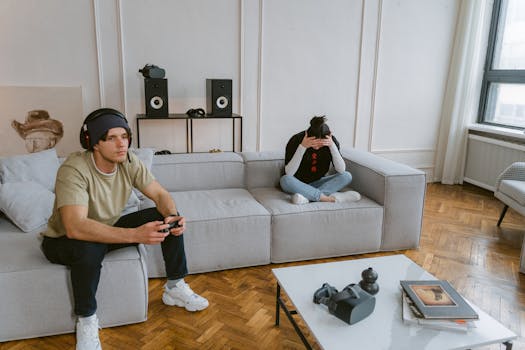
Small bedrooms call for compact desks and streamlined setups. Living rooms might let you use a TV and share your space more easily for your beginner gaming setup.
Realistic planning for desk placement, cable management, and seating makes your beginner gaming setup functional without crowding your room, avoiding wasted money on oversized furniture.
It’s like planning a puzzle: choose only the pieces that actually fit together, not just the ones that look exciting in-store or online.
| Game Type | Recommended Hardware | Typical Budget | Best for |
|---|---|---|---|
| Story-Driven (Adventure) | Basic PC / Console, Comfortable Headset | $350–$700 | Solo, Immersion Seekers |
| Online Multiplayer | Stable Internet, Responsive Controller/Mouse | $400–$900 | Friends, Social Players |
| Retro/Indie | Entry-Level Laptop, USB Controllers | $300–$500 | Simplicity, Nostalgia Fans |
| Family/Couch Co-op | Shared Console, Extra Controllers | $400–$900 | Group Play, Family Time |
| Competitive/FPS | Mid-Range PC, Fast Monitor | $600–$1200 | Action Oriented |
Choosing Hardware That Matches Your Goals and Avoids Overbuying
This section gives you a step-by-step strategy to select each piece of tech for your beginner gaming setup. Only buy what adds value and future flexibility.
Whether you’re eyeing a console or PC, remember: entry-level gear is more than enough to start enjoying your favorite games with friends and family.
Balancing Features With Affordability
Ignore flashy hardware that doesn’t boost your core experience. Aim for reliable brands with great reviews—even if last year’s model—since deals on proven gear often pop up.
Upgrading later is smarter than buying everything now. Basic specs can run most beginner-friendly games, so start simple and build confidence before making expensive upgrades.
- Start with standard controllers; fancy upgrades can wait until you’re sure of your preferences. This keeps money free for new games or accessories later on.
- Pick a monitor or TV based on your room size. Large screens in tiny spaces cause eyestrain and clutter your setup.
- Order only essential cables and avoid custom lengths unless you’re dealing with unusual furniture arrangements. Pre-packaged sets are usually sufficient and cheaper.
- Check game platform requirements—don’t overspend on top-tier graphics cards unless you want high-end PC gaming from the start.
- Choose multi-purpose desks, since they allow you to study, work, and game without needing separate pieces of furniture in a small space.
If you aim for maximum value, stick with what you’ll use the most every day and add more as your skills and tastes grow.
Pre-Owned vs New: The Smart Shopping Comparison
Buying gently used parts or last-gen consoles stretches your budget further. Many stores and online marketplaces offer certified pre-owned items with warranties for beginner gaming setups.
Ask for a demo or return policy before you commit. A good used controller or mouse often works as well as new—sometimes better, once broken in.
- Find deals on used monitors at local shops or swap groups. Check for dead pixels and include the stand/cables to avoid surprise costs.
- Inspect pre-owned headsets for ear pad wear and mic clarity. Test them in-store if possible and sanitize before first use for maximum comfort and hygiene.
- Negotiate bundles; sometimes a seller offers games, speakers, or furniture included in a single price, meaning less overall cost for your beginner gaming setup.
- Use online price-checkers to compare listings quickly. Set alerts for new postings if you want specific gear—patience rewards bargain hunters.
- Steer clear of sketchy offers that have missing pieces or odd smells. Trust your instincts, and always plug in hardware on the spot if buying face-to-face.
By sourcing your beginner gaming setup from both new and secondhand options, you stretch your money while supporting reuse and sustainability.
Making Comfort and Ergonomics Part of Your Gaming Routine
Building a beginner gaming setup means prioritizing your body as much as your tech. Physical comfort leads to longer, more enjoyable play sessions and promotes healthy habits.
The right chair, desk height, and layout invite you to play safely—think of it like wearing sneakers that really fit, rather than clunky shoes that tire you out.
Arranging Your Gaming Space for Daily Use
Keep distances tight. Your keyboard and mouse or controller should sit within easy reach, promoting natural posture for your beginner gaming setup every session.
Avoid fancy but uncomfortable gaming chairs. Instead, use a basic office chair with adjustable height, and pair it with a footrest or pillow for better leg support all night.
When sharing a beginner gaming setup space with others, set boundaries by using area rugs, small lights, or wall art to physically define your game zone and minimize clutter.
Lighting and Sound: Enhancing Your Experience Without Spiking Costs
Install a simple desk lamp with adjustable brightness. It’s easier on eyes, reduces screen glare, and avoids headaches during marathon beginner gaming setup sessions.
Skip gigantic speakers and choose affordable headphones for clear in-game sounds and to avoid disturbing others. Good headphones let you game late without household complaints.
Cable management clips or ties keep cords tidy so your beginner gaming setup doesn’t become a tripping hazard or distract from your gameplay focus, even on a limited budget.
Expanding Your Starter Game Library in Fun, Budget-Conscious Ways
Building a collection doesn’t mean emptying your wallet. Prioritizing certain titles and sources lets you grow your library with games you’ll actually return to in your beginner gaming setup.
Buying games intentionally means more time playing and less money spent on titles you abandon after one try—keeping your beginner gaming setup both fresh and affordable.
Spotting Real Value in Game Deals and Freebies
Compare game prices across several stores before buying, both online and offline. Flash sales, bundles, or buy-one-get-one specials can maximize your beginner gaming setup budget.
Sign up for newsletters or rewards programs on trusted platforms to access limited-time free games, trial weekends, and loyalty points redeemable for new titles throughout the year.
Use wishlists thoughtfully. Get notifications for discounts and avoid buying games impulsively; return later to see if you’re still interested after a few days—patience saves money.
Trading and Sharing Games Safely
Trade games with friends you trust or join local swap groups. Before swapping, check disks or download codes for damage or expiration to protect your beginner gaming setup investment.
Check age and content ratings for family-friendly game sharing. This ensures that any group gaming session runs smoothly without surprising anyone or exposing younger players to inappropriate titles.
If sharing digital accounts, double-check that profiles are protected by strong passwords. Using family sharing options on platforms can help everyone safely access an expanding library.
Personalizing Your Setup Without Inflating Your Expenses
Expressing your personality in your beginner gaming setup motivates you to play more. Custom touches don’t need to cost much and turn your space into a reflection of your style.
Start with inexpensive, swappable elements like posters, LED strips, desk toys, or mouse pads. Changing the look of your area helps keep it feeling fresh and inspiring to use.
DIY Decorations and Custom Upgrades
Make your own wall art from game box covers, memorable screenshots, or even concert ticket stubs. Secure them with removable tape or thumbtacks, so rearranging is a breeze.
Simple 3D-printed controller stands or headphone holders add both utility and flair. Community templates can help you start projects even on a tight budget for your beginner gaming setup.
Care for gear by deep-cleaning it before display. A wipe keeps both new purchases and hand-me-down hardware looking sharp, making your beginner gaming setup visually cohesive.
- Create custom wallpapers using in-game screenshots; this costs nothing but time and really makes your beginner gaming setup feel personal and unique.
- Pick up secondhand shelving and repaint for a pop of color. Hardware and thrift shops offer affordable, sturdy options for storing games and extras above your desk.
- Use cord wraps from old bread bags to tidy up cables until you’re ready for premium solutions. This prevents clutter and mishaps while you experiment.
- Fill a small jar with memorabilia—keychains, badges, collectibles—on your desk. This gives your beginner gaming setup character and lets you display gaming milestones.
- Swap posters and desk ornaments with friends every season. New visuals refresh your mood without costing a dime, especially for shared gaming spaces in apartments or dorms.
Keeping Your Setup Safe, Clean, and Hassle-Free Every Day
Good habits protect your beginner gaming setup from accidents and keep your gear running smoothly. A few easy routines avoid costly replacements and give your space maximum lifespan.
Plan quick weekly checkups. Unplug electronics before wiping dust, and store snacks and drinks at arm’s length to prevent sticky spills—preventing unnecessary repairs or upgrades.
Short Maintenance Routines to Adopt Now
Wipe screens and desks weekly with a microfiber cloth. Dust buildup dulls display quality and shortens hardware life, but a ten-second swipe makes a big difference for your beginner gaming setup.
Check all cables monthly for snags or bent plugs. Replace damaged ones promptly to avoid data loss or random shutdowns while you play. Caught early, this prevents frustration mid-session.
Vent consoles and PCs regularly—dusty fans cause overheating. Place machines on stands so air circulates better, especially if they’re in compact corners of small gaming nooks.
Enjoying Your Beginner Gaming Setup and Keeping It Adaptable
Now you’ve seen how building a beginner gaming setup can stay smart, affordable, and enjoyable with the right choices and simple steps.
Small changes and clear priorities mean you enjoy every game session while keeping your wallet—along with your gaming space—healthy for the long haul.
Revisit these practical tips as you grow your collection or rearrange your space, so your beginner gaming setup stays fun and adaptable no matter what changes in your life or the tech world.